
Market position & pricing reports
See where your whole catalog sits against the market — company-wide and broken down by category — so pricing decisions are based on the actual market, not guesswork.
14-day free trial · No card required
What makes pricing decisions guesswork
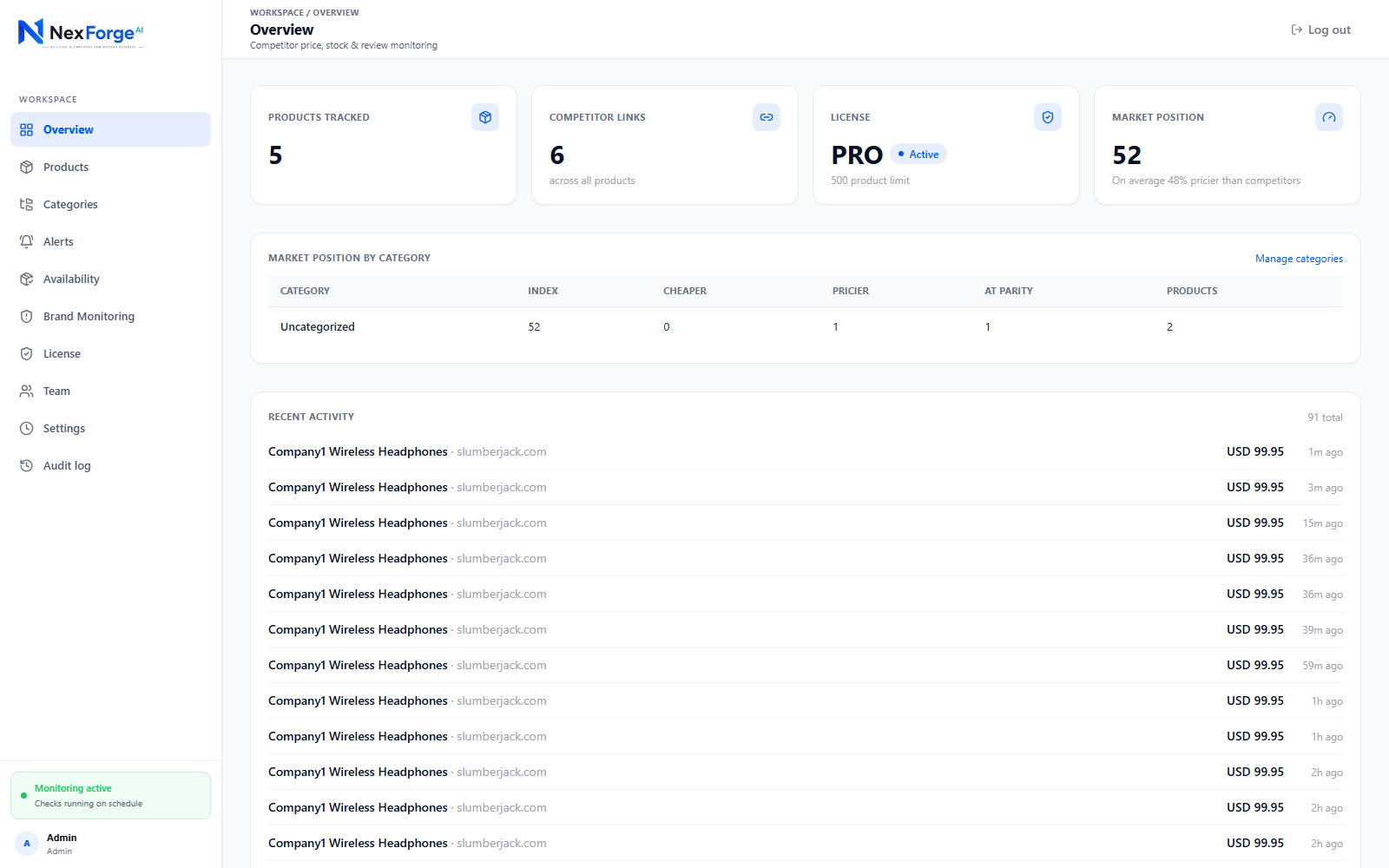
A live Price Index for your whole catalog
One number summarizing how your prices compare to the market — e.g. "8% above competitors on average" — instead of reviewing every product one by one.
Market Position, product by product
See at a glance whether each product is running cheaper, at parity, or pricier than the competitors you track for it.
Per-category breakdowns
Group products into categories and see Market Position rolled up by category, not just across the whole catalog at once.
An AI-written pricing narrative
A plain-language paragraph explaining your pricing trend — not just an "AI-powered" repricing algorithm, an actual generated summary you can read on your dashboard.
Scheduled report exports, straight to your inbox
Set a cadence and MarketPulse emails a CSV export of your product/pricing report automatically — no need to log in and pull it by hand.
Frequently asked questions
What is a Price Index?
A single number summarizing how your whole catalog’s prices compare to the market — useful for spotting a trend at a glance instead of reviewing every product individually.
Can I see market position by product category?
Yes — group products into categories and MarketPulse rolls up Market Position for each category separately, alongside the whole-catalog view.
Does the AI narrative replace looking at the numbers myself?
No — it’s a plain-language summary alongside the Price Index and Market Position numbers, meant to make the trend easier to read at a glance, not to replace the underlying data.
Can reports be delivered automatically?
Yes — set a cadence in Settings and MarketPulse emails a CSV export of your report on that schedule.